
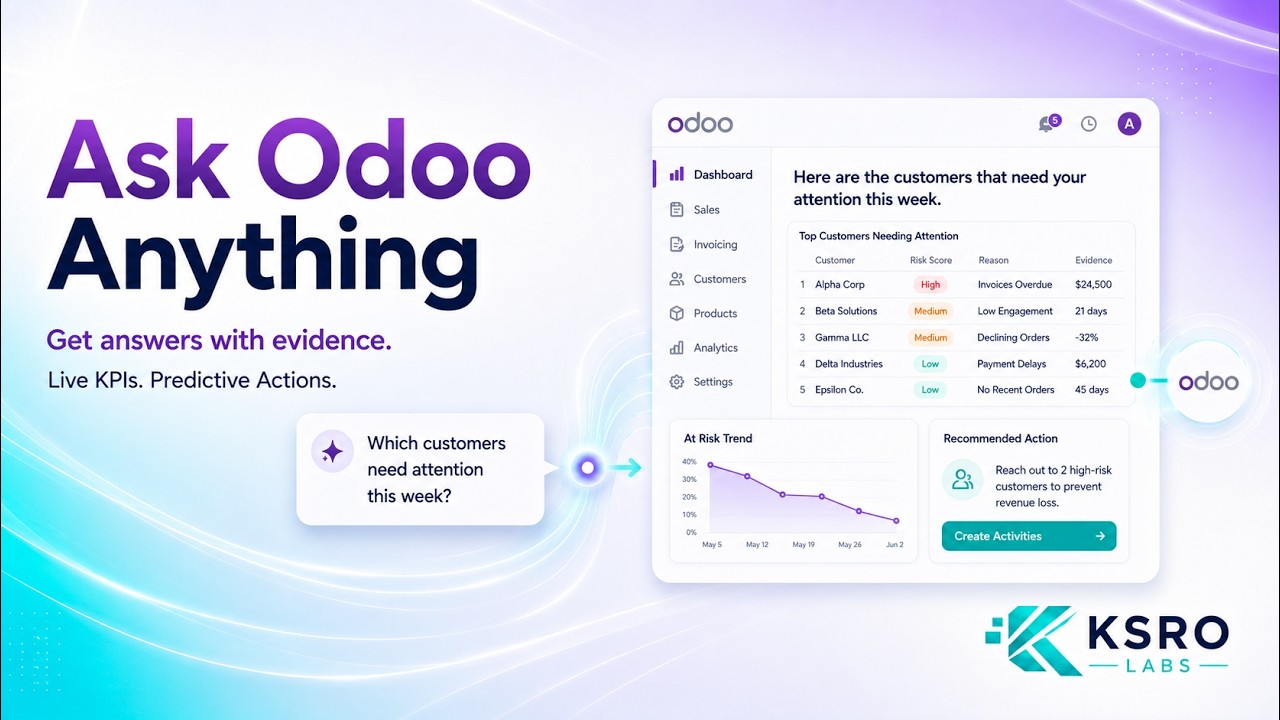
 AnalyticsAdvance MCP Analytics for OdooRole-based dashboards, evidence-backed answers, and predictive signals built on live Odoo data — with every number tracing back to the record behind it.
Analytics & BI · Power BI · Google Sheets · BigQuery
Odoo analytics — live reports without manual exports
Production-grade connectors to bring Odoo data into Power BI, Google Sheets, and BigQuery. Governed datasets, automated refresh, and enterprise-ready reporting. The complete Odoo Google Sheets integration, BigQuery sync, and BI analytics suite.
Power BIGoogle SheetsBigQueryOdoo 16+Service Account
Analytics connectors
Connect Odoo to your analytics stack
Three dedicated connectors — each purpose-built for its target platform and maintained across Odoo versions.
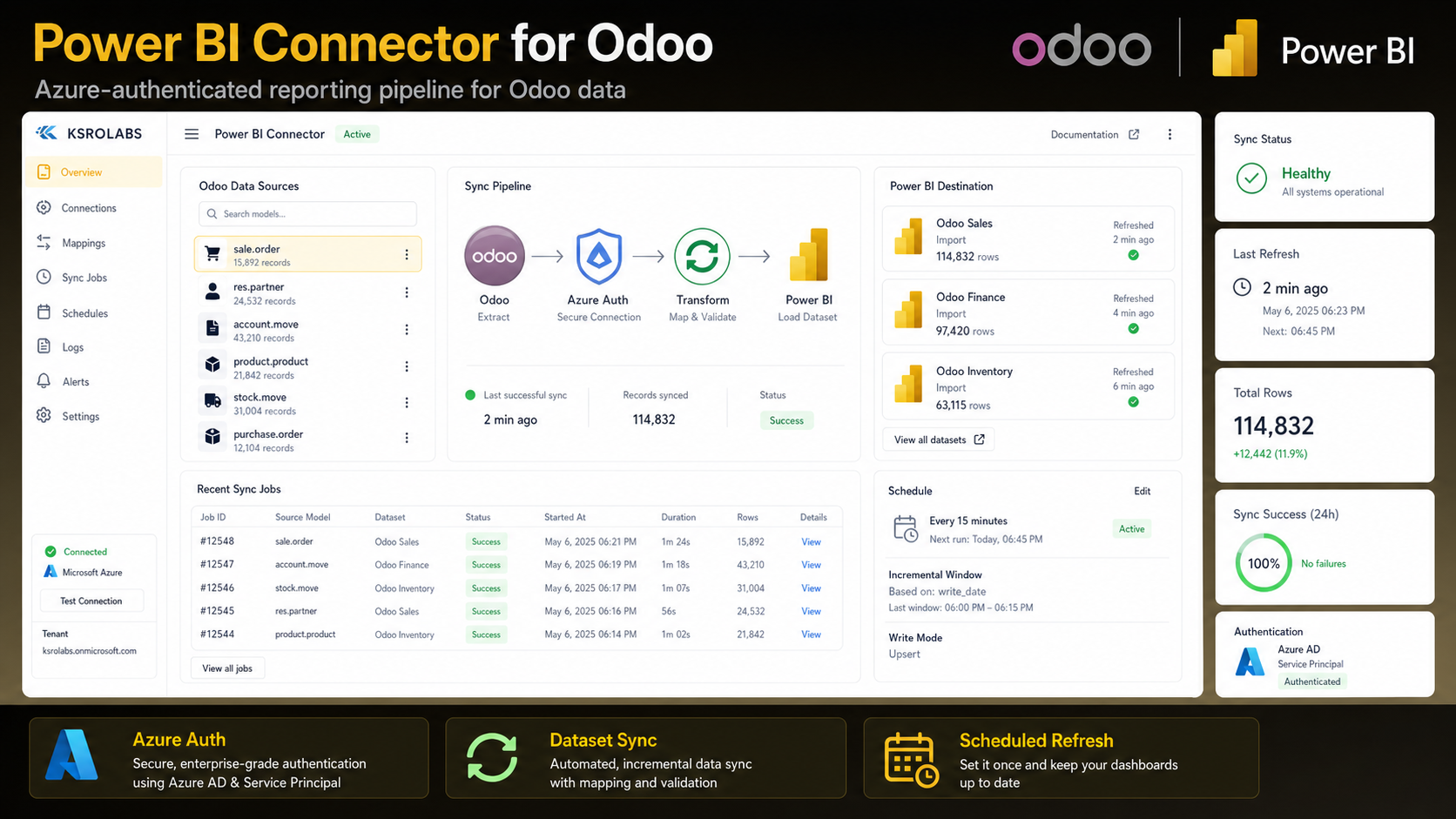
Power BI Connector for Odoo
Connect Odoo to Power BI with Azure Service Principal authentication. Automate data sync, build live dashboards, and eliminate manual CSV exports.
Power BI Connector for Odoo →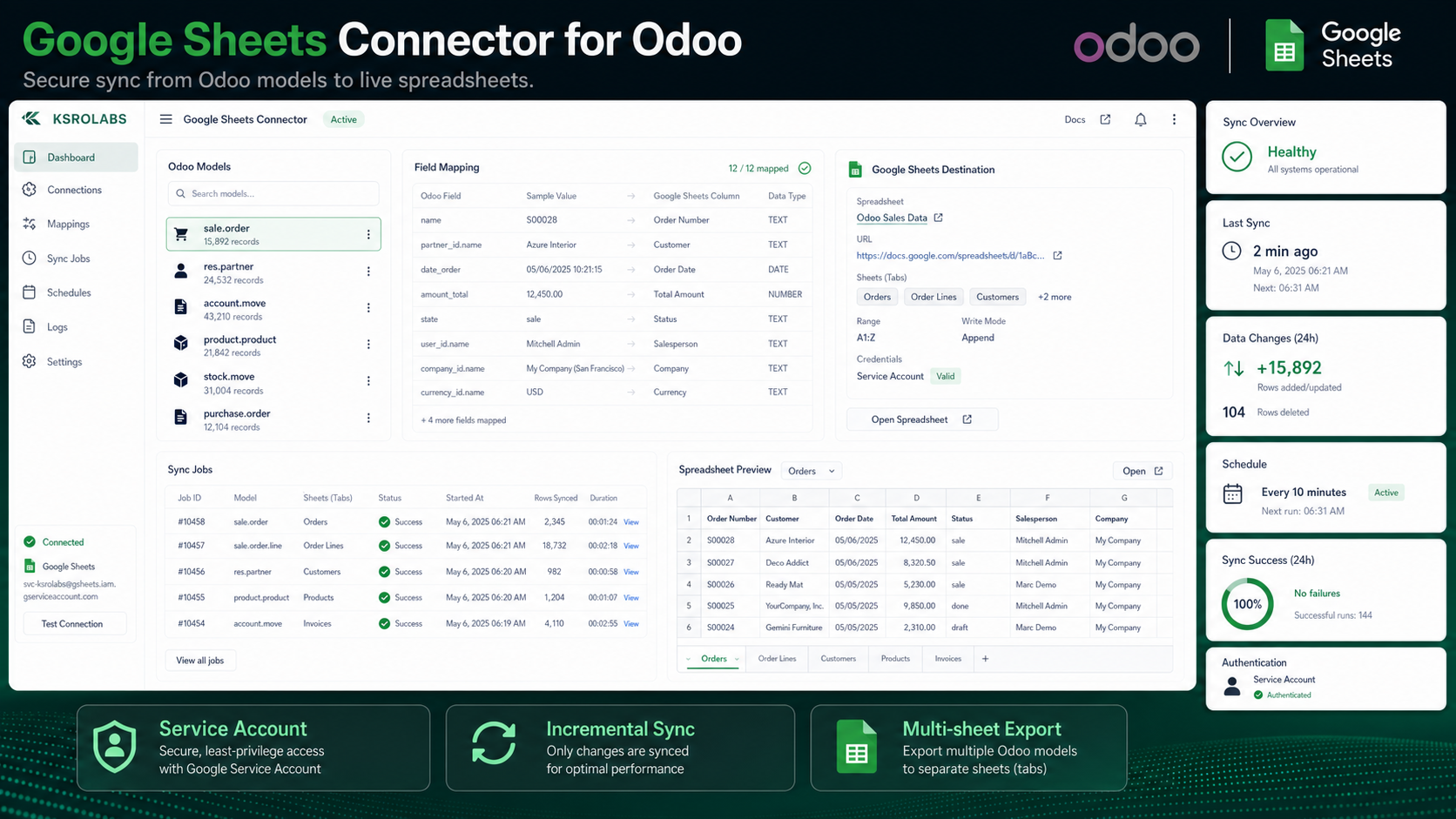
Google Sheets Connector for Odoo
Automatically sync Odoo records to Google Sheets using secure service-account automation. Real-time export with incremental updates — no manual exports, no stale spreadsheets.
Google Sheets Connector for Odoo →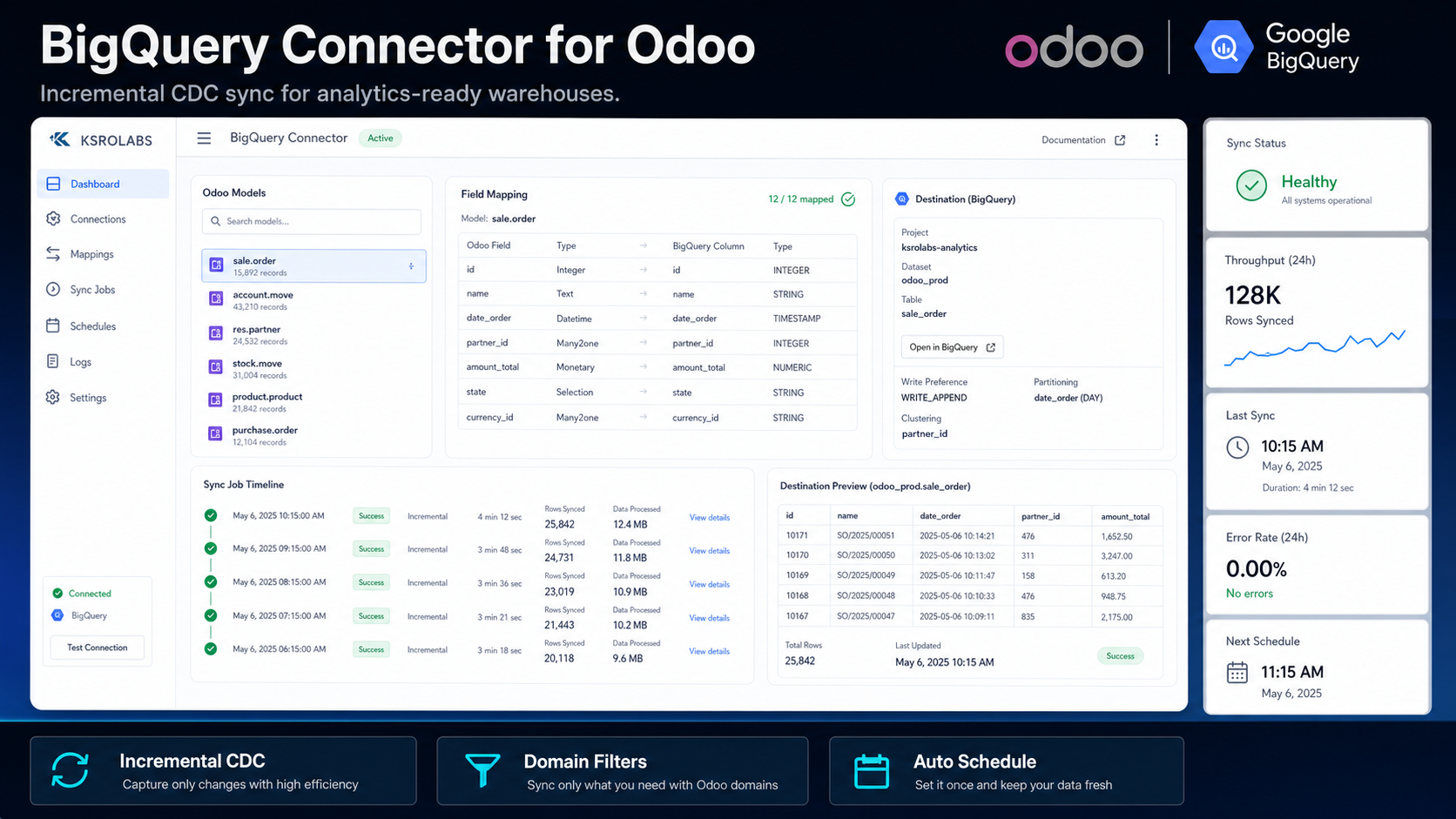
BigQuery Connector for Odoo
Sync Odoo data to Google BigQuery with incremental CDC, automated scheduling, and smart field mapping. 80% cost reduction. Connect to Looker, Power BI, and Vertex AI.
BigQuery Connector for Odoo →Google Sheets setup
How to integrate Google Sheets with Odoo
Set up the Odoo Google Sheets integration in four steps — automate data sync from Odoo to Google Sheets with service account authentication and scheduled refresh.
Install the Google Sheets Connector
Install the KSROlabs Google Sheets Connector from the Odoo App Store. Compatible with Odoo 19.0+ Community and Enterprise.
Configure Google Cloud service account
Create a service account in Google Cloud Console with Sheets API access. Download the JSON key file and upload it in Odoo Settings → Google Sheets Connector.
Map Odoo fields to spreadsheet columns
Select the Odoo model to export (e.g. sale.order, account.move) and map fields to Google Sheets columns using the point-and-click UI.
Schedule and sync
Set your sync frequency (hourly, daily, or custom cron) and activate. Odoo data flows to Google Sheets automatically with incremental updates.
Why KSROlabs
Production-grade Odoo analytics
Governed Datasets
All connectors respect Odoo's record rules and field-level security — so analytics only show authorized data.
Scheduled Refresh
Configure automated data refresh intervals directly from the Odoo backend. No manual intervention needed.
Version-Aware
Maintained across Odoo major versions with documented upgrade paths. Your analytics keep working after upgrades.
Production-Safe
Designed for production workloads with thousands of records. No performance impact on the Odoo database.
Watch it work
See Odoo analytics on live data
A four-minute tour of governed dashboards built from natural language — role-based KPIs, forecasts, and every figure drilling back to the Odoo record behind it.
AnalyticsAdvance MCP Analytics for OdooRole-based dashboards, evidence-backed answers, and predictive signals built on live Odoo data — with every number tracing back to the record behind it.Start reporting on your Odoo data
Pick the analytics connector for your stack — Power BI or Google Sheets — and install it from the Odoo App Store today.
Odoo analytics & Google Sheets integration — FAQ
Common questions about connecting Odoo to BI tools and the Odoo Google Sheets integration.
Which BI tools can I connect to Odoo with KSROlabs?
KSROlabs publishes connectors for Microsoft Power BI and Google Sheets. Each connector is built specifically for Odoo and maintained across Odoo versions.
How do I integrate Google Sheets with Odoo?
Install the KSROlabs Google Sheets Connector from the Odoo App Store, configure a Google Cloud service account with Sheets API access, map the Odoo models and fields you want to export, and set a sync schedule. Data flows automatically from Odoo to Google Sheets — no custom development required.
Do the Odoo analytics connectors work with custom Odoo modules?
Yes. All connectors — Power BI and Google Sheets — support custom Odoo models. You can map any custom field or model to your BI tool of choice.
Is a technical setup required to use the Odoo analytics connectors?
Basic configuration is required (API credentials, field mapping) but no custom development. Each connector includes documentation and a settings UI inside Odoo.
Can I use multiple analytics connectors at the same time?
Yes. You can run Power BI and Google Sheets connectors simultaneously on the same Odoo instance without any conflict.
What is the difference between the Google Sheets Connector and the Google Sheets Dashboard module?
The Google Sheets Connector exports Odoo data TO Google Sheets for external reporting. The Google Sheets Dashboard module embeds a Google Sheets spreadsheet INSIDE the Odoo UI, so users can view reports without leaving the ERP. They are complementary modules.
Does the Google Sheets Odoo integration support real-time sync?
The connector supports scheduled sync at configurable intervals — hourly, daily, or custom cron. For the fastest data updates, set the minimum interval supported by your Odoo instance. On-demand manual sync is also available for immediate export.
Can I sync Odoo data to Google Sheets and also connect MCP for AI?
Yes. All KSROlabs modules work independently and can run concurrently on the same Odoo instance. You can sync data to Google Sheets for team reporting while also connecting AI agents via the MCP Server for automation.
What is the BigQuery Connector for Odoo?
The KSROlabs BigQuery Connector syncs Odoo data to Google BigQuery with incremental CDC (Change Data Capture), automated scheduling, smart field mapping for 11+ field types, and full audit logs. It reduces BigQuery costs by up to 80% compared to full table syncs and enables analytics in Looker, Power BI, Google Sheets, and Vertex AI.
More Odoo integrations
Beyond analytics — AI automation with the MCP Server for Odoo, Google Drive storage, and Google Shopping integrations.